One Portal for Every Customer, Order, and Transaction
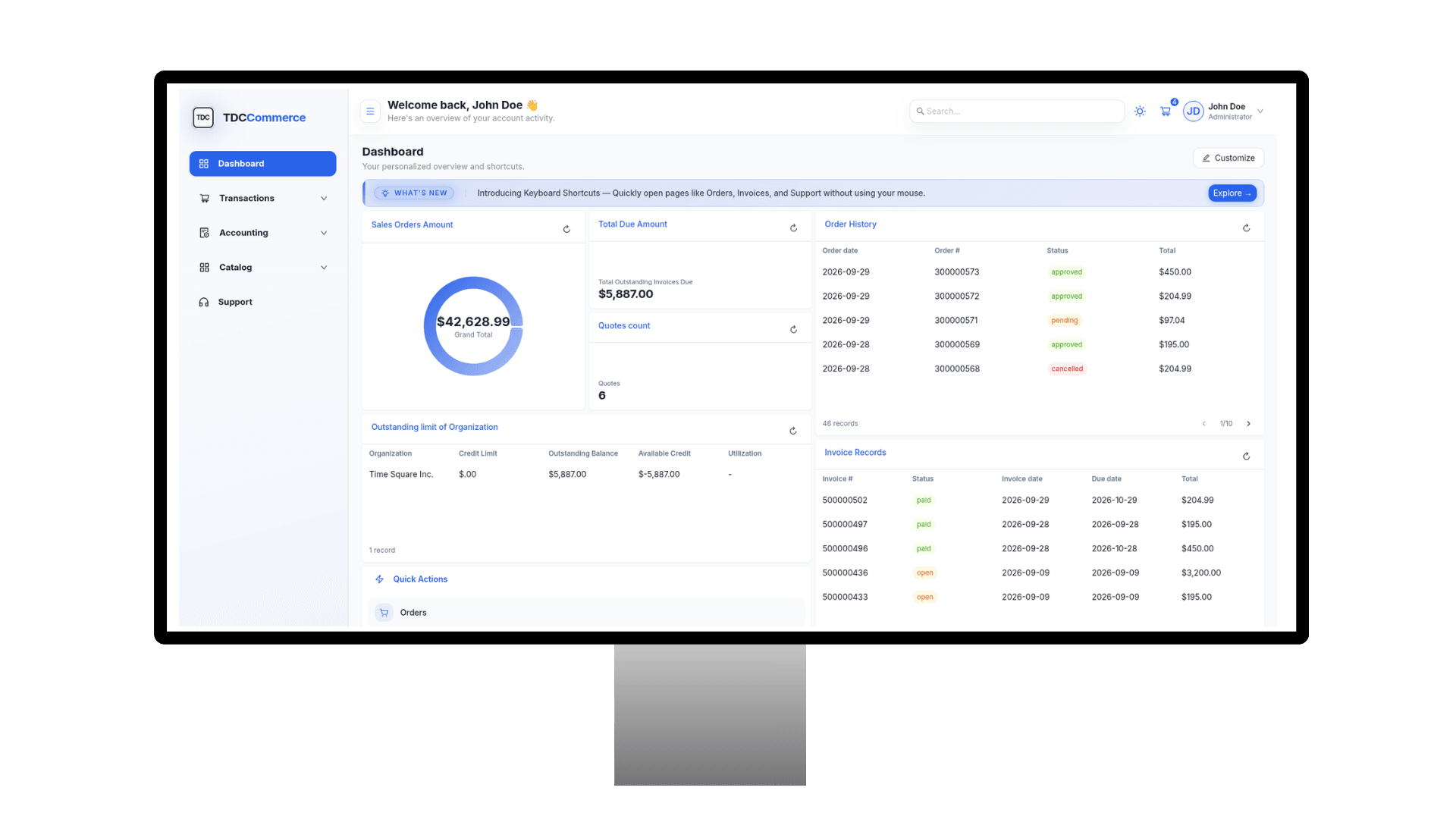
TDCCommerce extends CRM beyond your internal teams and into the customer experience. Customers can manage orders, payments, catalogs, quotes, transactions, and support from one connected portal, with role-based access tailored to each user's responsibilities.
Everything Customers Need to Manage Their Account
Purchasing
Orders, Carts, and Quotes
- View, manage, and track orders across the organization.
- Add products to carts.
- Create, review, and manage quotes before ordering.
- Let Admin and Finance users manage orders and quotes across the organization.
.png&w=3840&q=90)
Roles - Give Every User the Right Level of Access
TDCCommerce uses role-based permissions to control what each customer user can see and manage.
.png&w=3840&q=90)
Admin
View organization-wide and personal transactions, manage all orders and payments, and control user access by adding, removing, or revoking users.
.png&w=3840&q=90)
Finance
View organization-wide and personal transactions, access orders, and make or manage payments for the organization.
.png&w=3840&q=90)
Buyer
Access their own orders, keeping their purchasing activity focused on their assigned account activity.
How TDCCommerce Compares
| Feature | The Usual Setup | With TDCCommerce |
|---|---|---|
| Customer wants to view an order | Contact the business or search through emails | Orders are available directly in the customer portal based on the user's role |
| Admin needs organization-wide visibility | Rely on separate systems or request records from different teams | Admins can view organization-wide orders, transactions, and payment activity |
| Finance needs to manage orders | Request access or coordinate with an admin | Finance users can view and manage organization-wide orders and quotes |
| Finance needs to make a payment for someone else | Ask another user or internal team to complete the payment | Finance users can make payments for orders on behalf of other users |
| Customer needs special pricing | Send separate price lists or spreadsheets | Customer-specific pricing can be applied through assigned catalogs |
| Buyer needs to check a purchase | Ask an admin or finance user for details | Buyers can view their own orders and transactions directly |
| Different buyers need different products | Share the same catalog or manage separate lists manually | Different catalogs can be assigned to different buyers based on their needs |
| Customer wants to request support | Email or call the support team | Customers can raise support cases directly from the portal |
| Managing employee access | Set up new access separately and manually remove access when an employee leaves | Admins can manage invitations, add users, remove users, and revoke access directly from the customer portal |
Connect Customers to Everything They Need
Give every client organization a single place to manage its relationship with your business. TDCCommerce connects customer records, purchasing, payments, catalogs, support, and role-based access in one portal, while keeping organizational and personal activity separated by permissions.
.png&w=3840&q=90)
Questions Sales and Support Teams Ask
How are users added to the customer portal?
An Admin can send an invitation to a new user and assign the appropriate role as part of the invitation. Once the invitation is accepted, the user gets access based on the assigned role.
Can an organization have multiple Admins?
Yes. An organization can have multiple Admin users. An Admin can invite new users and assign the appropriate role when sending the invitation.
What happens to duplicate customers?
The system flags records that share an email or phone, you choose which one survives, and the merge keeps every order, case, and note from both.
Can Admins change or revoke user access?
Yes. Admins can manage user access, including sending invitations, removing users, and revoking access when needed.
Can different Buyers have different catalogs?
Yes. Catalogs can be assigned based on the individual buyer or account, so different buyers can see different products, categories, and pricing.
Can Finance users make payments on behalf of other users?
Yes. Finance users can make payments for orders on behalf of other users within the organization, making it easier to manage payments centrally while keeping the relevant transaction records connected to the account.