Create Better Store Experiences Without the Complexity
TDCCommerce gives your team a no-code way to manage website content, store settings, products, and digital assets from one central platform. Build and update pages, control storefront appearance, manage content, and keep customer experiences consistent across every device.
Everything You Need to Manage Your Storefront
Content
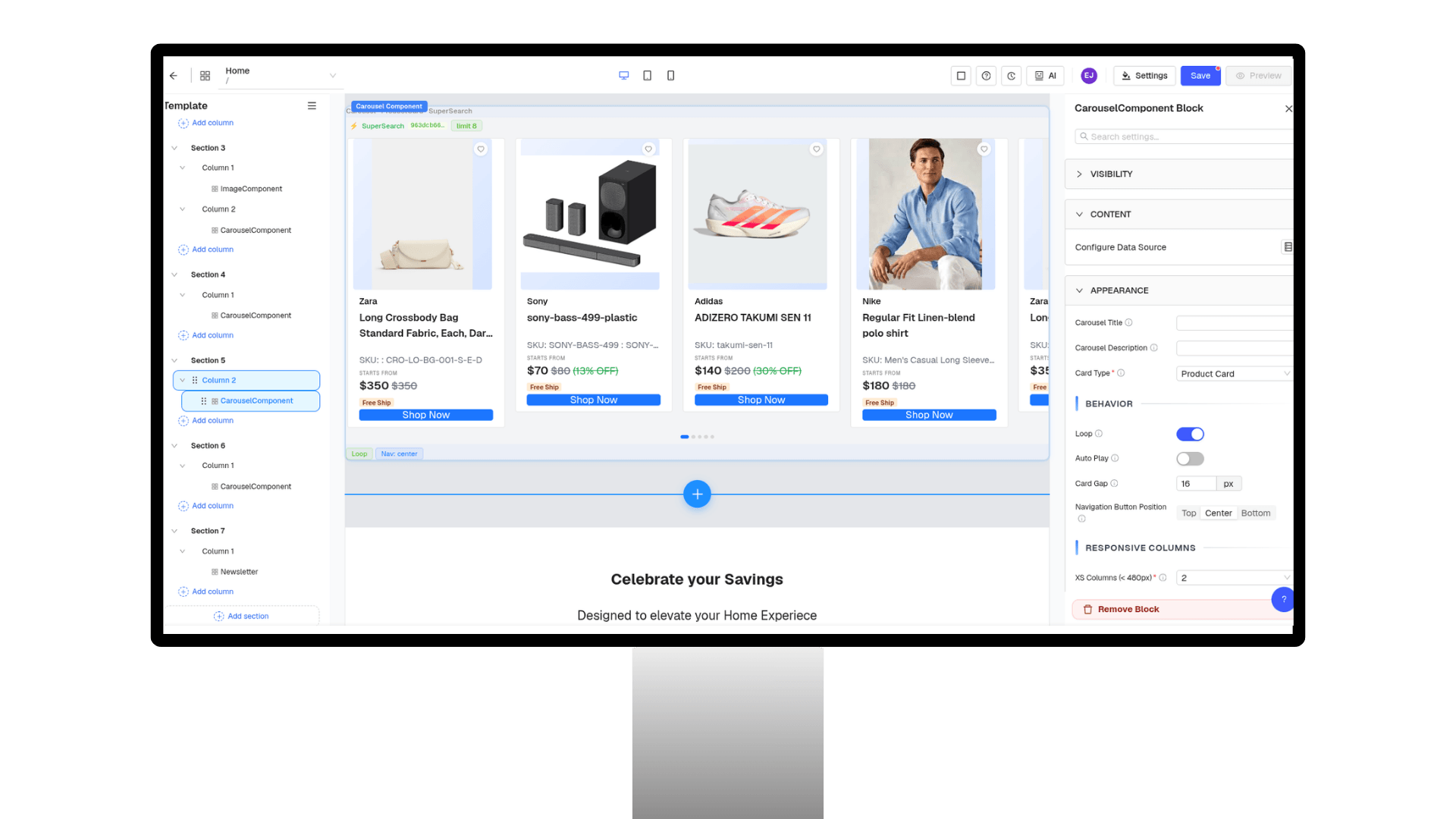
Drag-and-Drop Page Builder
- Build pages without relying on developers.
- Create landing pages, product pages, and blogs.
- Arrange text, images, videos, and banners visually.
- Preview content changes as you build.
.png&w=3840&q=90)
How TDCCommerce Compares
| Feature | The Usual Setup | With TDCCommerce |
|---|---|---|
| Build website pages | Developer or separate page builder | Drag-and-drop CMS |
| Update layouts | Device-specific manual updates | Responsive layouts from one place |
| Maintain brand design | Recreate styles across pages | Reusable templates and brand settings |
| Manage store settings | Multiple admin areas | Centralized store configurator |
| Manage digital assets | Scattered folders and tools | Centralized digital asset management |
| Update product content | Separate catalog and website workflows | Connected product and content management |
| Manage storefront | Multiple systems and settings | One centralized platform |
Manage Your Entire Storefront From One Place
Stop switching between content tools, store settings, asset folders, and product systems just to keep your website updated. TDCCommerce brings content creation, storefront configuration, product management, responsive design, and digital assets into one connected platform.
Questions Store Teams Ask
Can I build pages without coding?
Yes. The CMS includes a drag-and-drop page builder for creating and updating landing pages, product pages, blogs, and other website content.
Can I manage mobile and desktop layouts?
Yes. Responsive layouts and component controls let you manage web, mobile, and tablet experiences from one place.
Can I customize the storefront to match my brand?
Yes. Templates can be adjusted with your colors, fonts, images, and layouts to maintain a consistent brand experience.
What can I manage with the Store Configurator?
You can manage storefront details such as logos, domains, navigation, page content, products, brands, inventory, users, and system settings.
Can I manage digital assets in the CMS?
Yes. Images, videos, and documents can be stored, organized, searched, and reused from a centralized digital asset management system.