Pricing Engine Built Into Your ERP
TDCCommerce decides what each customer pays, from contract prices and catalogs to store price lists and scheduled sales, and charges that price on the webstore, in the customer portal, and on every quote and order.
Every Way You Price, Built In
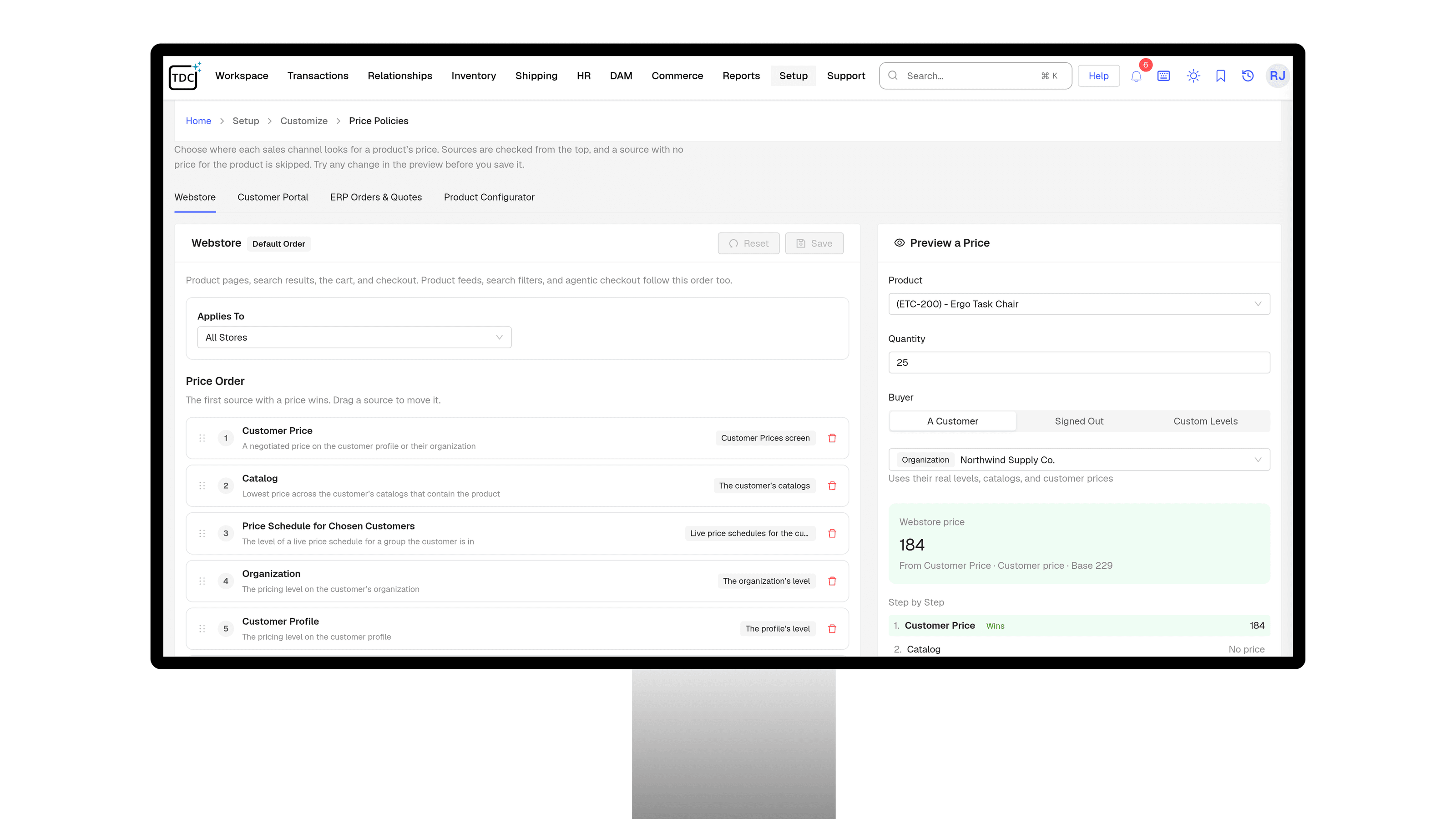
Price Policies
One Price Order for Every Channel
- Set which price wins on the webstore, in the customer portal, on ERP orders and quotes, and in the product configurator.
- Charge the first price found in your order, or check every source and charge the lowest.
- Give a store its own price list, while each customer's negotiated prices still come first.
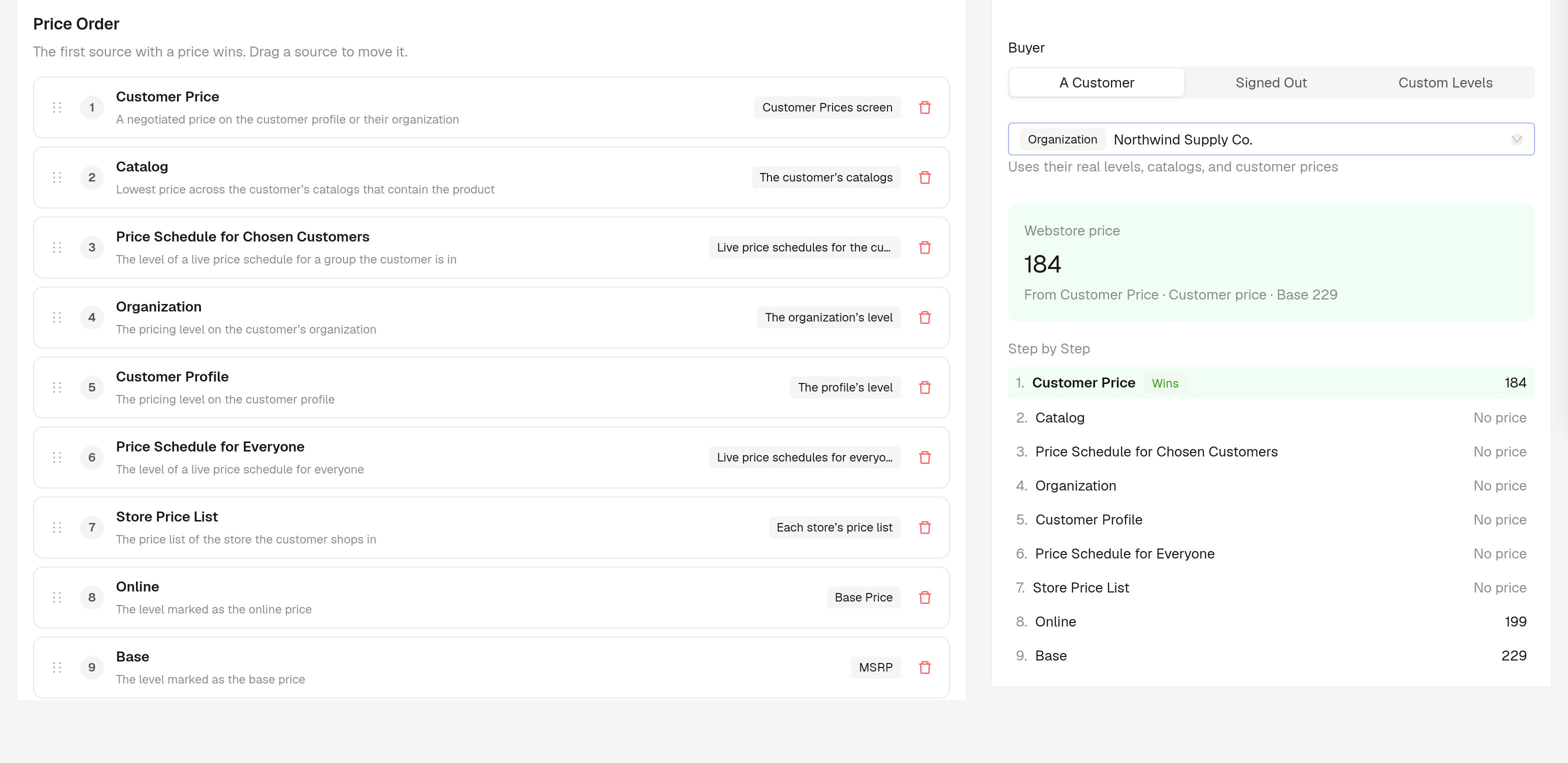
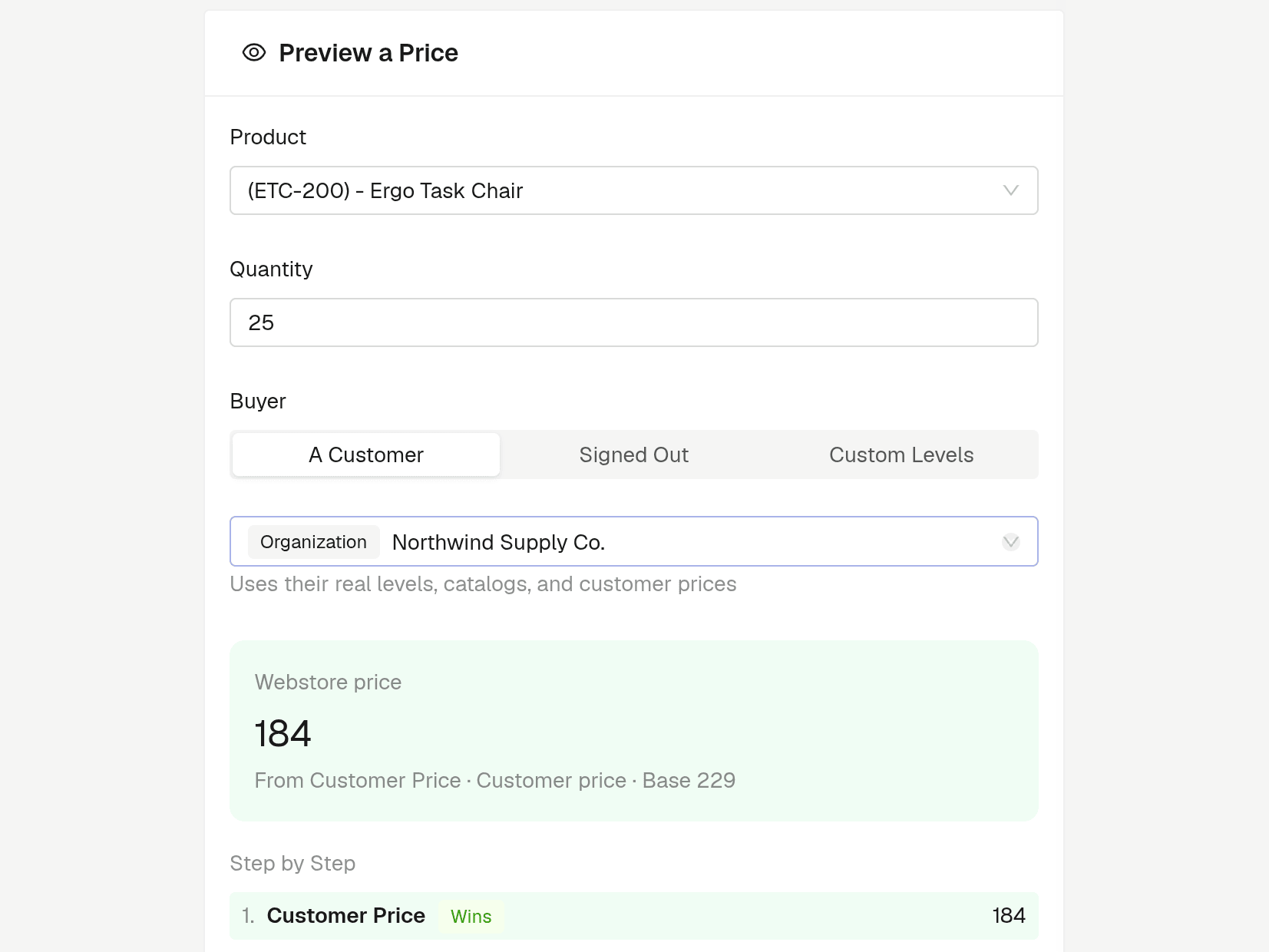
- Preview any product for any customer, step by step, before you save a change.
How TDCCommerce Compares
| Feature | The Usual Setup | With TDCCommerce |
|---|---|---|
| A wholesale buyer signs in | Sees list price, then emails for theirs | Sees their contract price on every page |
| More than one price applies | Whichever someone typed last | The channel's price order decides |
| A contract price expires | Stays live until someone notices | Its end date retires it |
| A price increase on January 1 | Hundreds of edits at midnight | Scheduled weeks ahead, with a preview |
| The weekend sale ends | Prices reset by hand on Monday | Previous prices come back on their own |
| Ad price vs. checkout price | Feed and site drift apart | Both follow the webstore's price order |
| A quote request arrives | Waits for someone to run the numbers | Arrives with a suggested price and margin |
| "Why did they get that price?" | Nobody can say | A step-by-step preview shows every source |
Charge the Right Price, Every Time
Stop keeping price sheets in spreadsheets and fixing invoices after the fact. See how TDCCommerce prices every customer, channel, and quote from one set of rules.
Questions Pricing Teams Ask
Have a different question? Talk with our team anytime.
Can each customer see their own prices?
Yes. Give a customer or an organization its own contract prices, a price level, or catalogs. They see those prices on the webstore, in the customer portal, and on quotes and orders. A price on a customer's own profile wins over one on their organization.
What happens when more than one price applies?
Each channel follows a price order you set. It charges the first source that has a price, or checks every source and charges the lowest. The preview shows each source's price, so you can see why one won.
Can I schedule a price change in advance?
Yes. Pick the products, the percent or amount, and the start time. When the schedule ends, the previous prices come back, and a price someone edited while it ran keeps that edit. Changes take effect within five minutes of the time you set.
Can each store have its own prices?
Yes. Give a store its own price list and it replaces the online price for everyone shopping there. Customers' negotiated prices still come first.
Will my shopping feeds match my website prices?
Product feeds and agentic checkout follow the webstore's price order, so the price in an ad matches the price at checkout. Feeds sync again when a scheduled sale starts or ends.
Can quotes be priced automatically?
Yes. AI Quote Pricing proposes a price, discount, and margin for each line of a webstore quote and explains each one. A rep reviews and sends it, or you can let business accounts get their price instantly.
Do price changes affect orders already placed?
No. Saved orders and quotes keep their prices. A change applies to the next price calculated.
Does it handle promotions and coupon codes?
Yes. Order and item promotions take a percent or a flat amount off, apply automatically or with a coupon code, and can stack with other promotions or stay exclusive.